




Building a powerful AI agent locally with Google’s Agent Development Kit (ADK) is exciting, but how do you share it with the world or scale it for production? If you want to move beyond localhost without managing complex virtual machines or infrastructure, Google Cloud Run is the ultimate serverless solution with compelling reasons. In this step-by-step tutorial, you will learn how to deploy your Google ADK to Google Cloud Run so it can handle real-world traffic seamlessly. Let's get started!
Table of contents #
Fact checker agent #
In the previous post, you learned how to build and run a simple fact-checker agent. It uses Google Search as a tool to verify whether the given statement is a fact. You can find the code for that agent in this GitHub repository. You will deploy the same codebase to Google Cloud Run.
Prerequisites #
Before deploying the Agent to Google Cloud Run, below are some of the requisites:
- Some Python knowledge will be beneficial, like the last post about creating the Fact Checker Agent
- You will need a Google Cloud Platform account with a project that has a billing account with some credit or a payment method attached
- Knowledge of Google ADK and its CLI will be useful, mainly the
adk deploycommand - You have a GitHub account and can clone a public repository
Given that these things are clear, you will learn how to deploy in the next section.
Deploy ADK agent to Cloud Run #
As you will deploy the Agent on a Google Cloud Platform project, you will use Vertex AI (now known as the Gemini Enterprise Agent Platform). So that will be passed as a parameter in the adk deploy command.
Clone the repository #
You can clone the project by running the following command:
git clone [email protected]:geshan/fact-checker-agent-adk.gitAfter you have cloned the repository, go into the directory with cd fact-checker-agent-adk. You will be on the default master branch. Then, you can create a new GCP project, as discussed next.
Create a GCP Project #
You can create a new GCP Project in the create project page:
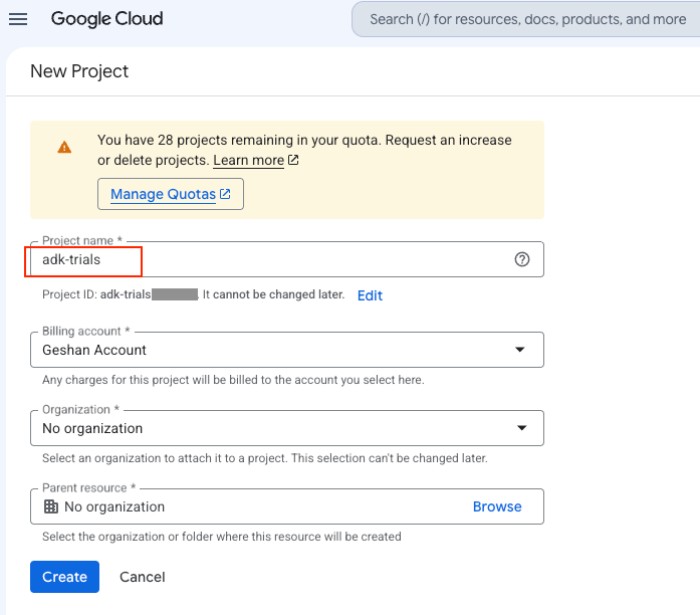
Enter the project name as shown above, such as adk-trials or another relevant name. Then, after the project is created, you will need to enable the Agent Platform API as shown in the next section.
Enable Agent Platform API #
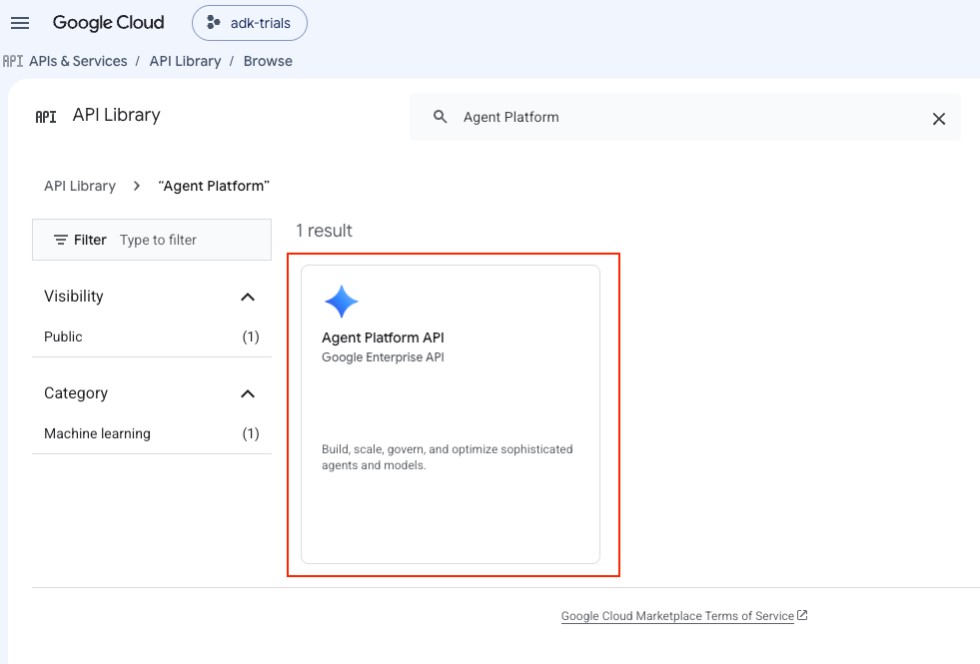
To enable the Agent Platform API, go to the API library page and search for Agent Platform, then click on the Agent Platform API result:
After that, enable the API:
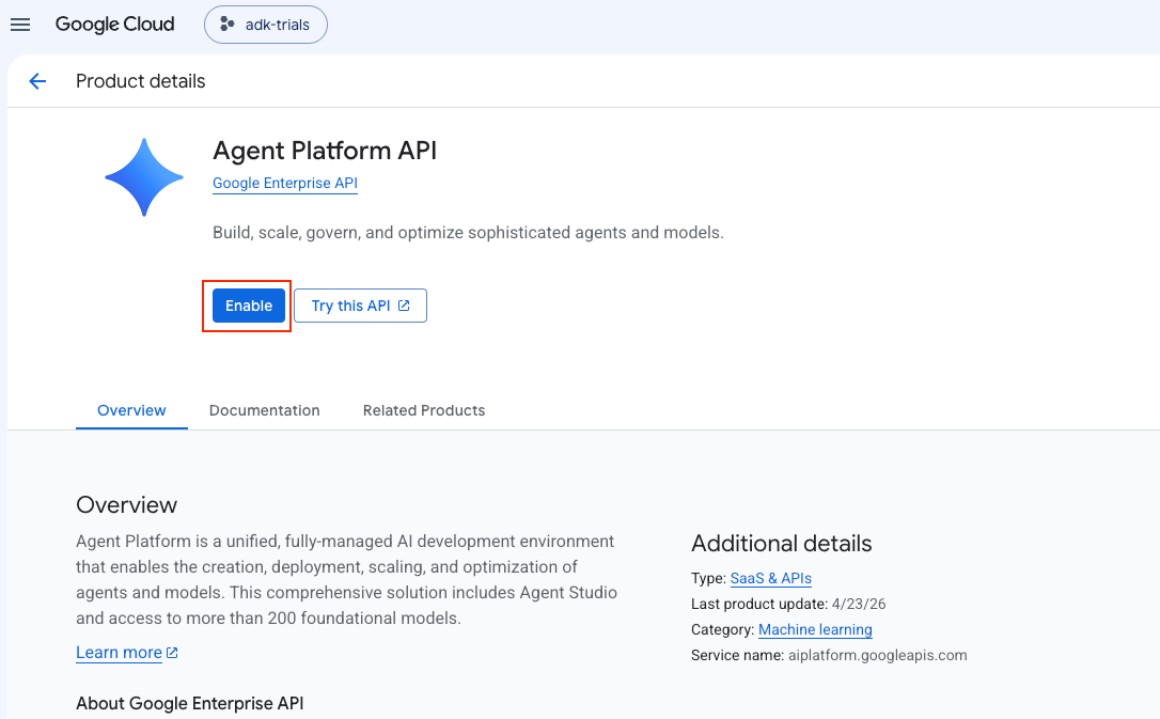
Once the API is enabled, you can set the environment variables in the fact-checker ADK agent project directory as discussed in the next section.
Set up the environment variables #
To make deployment easier, it is best to set the required environment variables. It can be done by running the following commands in the project directory, back in the CLI:
export GOOGLE_CLOUD_PROJECT=<your-gcp-project-id>
export GOOGLE_CLOUD_LOCATION=”us-central1” # Or your preferred location
export AGENT_PATH="./fact_checker"
export SERVICE_NAME="fact-checker-agent"
export APP_NAME="fact_checker"
It will look like the following when you set the environment variables correctly:

After that, you can run the adk deploy command with uv run to deploy the ADK agent to Google Cloud Run, as shown in the next section.
Deploy to Cloud Run #
With the environment variables set, the next step is to deploy the fact-checker ADK agent to Google Cloud Run. It will need some GCP service APIs enabled, which will be done as part of the deployment. You can run the deployment by executing the following command:
uv run adk deploy cloud_run \
  --project=$GOOGLE_CLOUD_PROJECT \
  --region=$GOOGLE_CLOUD_LOCATION \
  --service_name=$SERVICE_NAME \
  --app_name=$APP_NAME \
  --with_ui \
  $AGENT_PATH \
  -- \
  --update-env-vars GOOGLE_GENAI_USE_VERTEXAI=True \
  --update-env-vars GOOGLE_CLOUD_LOCATION=us
This command builds and packages your ADK agent, automatically containerizes it from source, and deploys it as a serverless service on Google Cloud Run, while configuring environment variables for model access.
It starts with a uv run prefix, which ensures the command is executed in the virtual environment managed by uv. It guarantees that the correct version of the google-adk package is available in the execution path.
Then the adk deploy cloud_run part is the entrypoint command for the Agent Development Kit (ADK) CLI to deploy a code-first agent to Google Cloud Run.
After that, there are ADK-specific options (before the --) which are:
--project=$GOOGLE_CLOUD_PROJECT: The target Google Cloud Project ID where the Cloud Run resources (and eventual container registry uploads) will be hosted.--region=$GOOGLE_CLOUD_LOCATION: The Google Cloud region where the Cloud Run service instance will physically run (e.g., us-central1).--service_name=$SERVICE_NAME: The name given to the deployed Cloud Run service.--app_name=$APP_NAME: The internal application name used by the ADK framework.--with_ui: Deploys the visual development Web UI alongside the agent. This allows you to interact with and test the agent via a browser-based chat window at the service's URL.$AGENT_PATH: The path to your agent's directory (e.g., fact_checker), which must contain an agent.py script.
All environment (env) variables were set in the last step and are used in this command.
Then, the -- separator tells the ADK CLI that all options before it are for configuring adk, and all options after it should be passed directly to the underlying gcloud run deploy command. Which, in this case, are:
--update-env-vars GOOGLE_GENAI_USE_VERTEXAI=True: Sets the environment variable on the Cloud Run container telling thegoogle-genaiSDK to run requests through Google Cloud's Vertex AI instead of Gemini API via Google AI Studio.--update-env-vars GOOGLE_CLOUD_LOCATION=us: Updates the container's environment variable GOOGLE_CLOUD_LOCATION to us. This overrides the default container location (us-central1), forcing Gemini API requests to use theusmulti-region endpoint so that models not yet fully supported on specific regional endpoints can be queried successfully, such asgemini-3.5-flashat the time of writing this post. Without this parameter you will getmodel not availableerror.
After you run the command, it will ask to enable the APIs and deploy the project to Cloud Run with unauthenticated access, as seen below:
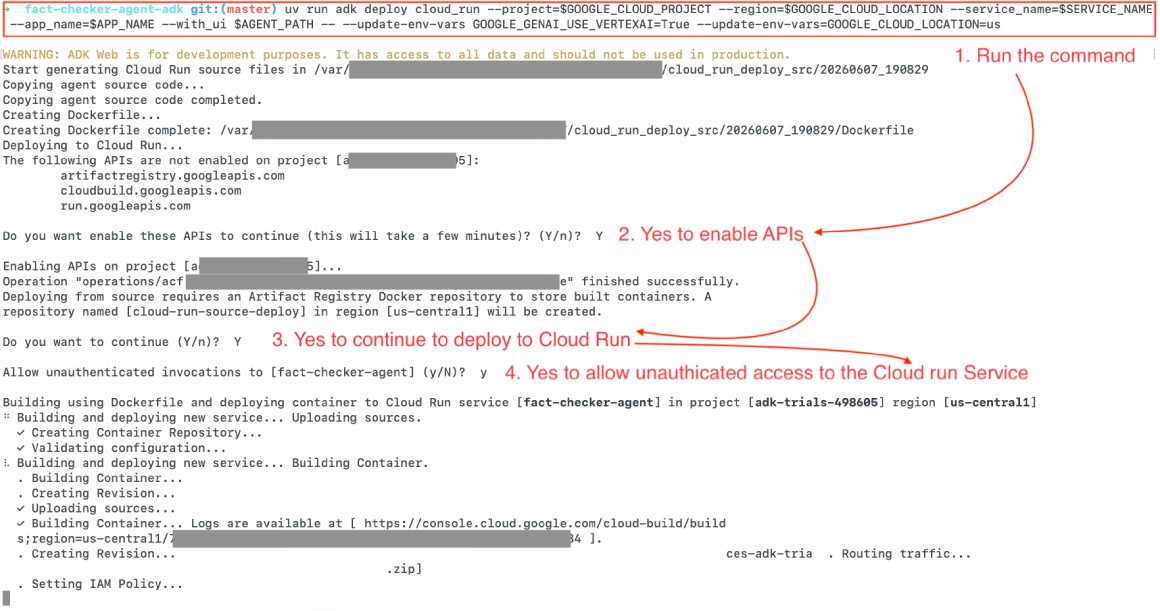
You can do Y for all the questions prompted by the command, which will complete the command, and on a successful run, it will give out a Google Cloud Run URL as follows:
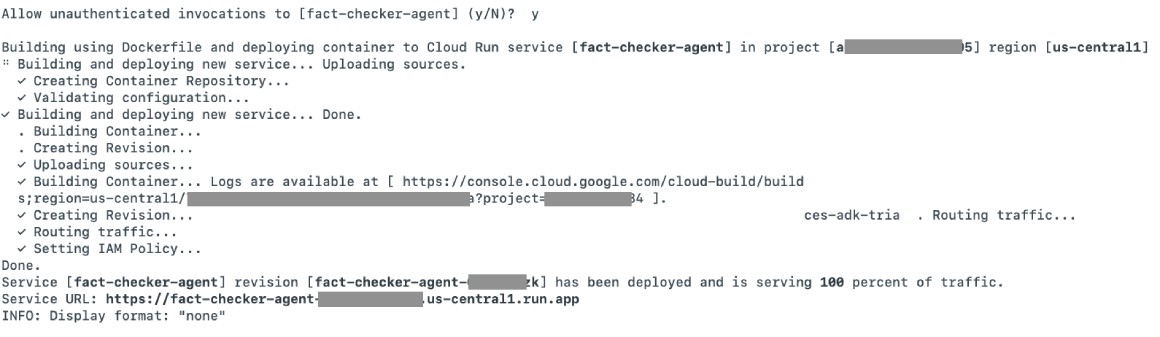
You can run the same command again if you make changes to the code and want to deploy them to Google Cloud Run. For a more production-like environment, it would be better to use Google Cloud Secret Manager to store any secrets. With this approach, you did not explicitly dockerize the codebase; instead, you used the deploy from source feature of Cloud Run.
As the --with-ui parameter has been passed in the previous command, you can run/test the ADK fact-checker agent in the browser of your choice, which is done in the next section.
Test ADK running on Cloud Run #
You can run the URL on the browser of your choice, like Chrome, and test it out with:
Google is proposing the US government to release millions of "good" mosquitoes in California
You can put the URL from the previous section in the address bar of your browser, and in the session, add the above “statement”, which should respond with something like the below:
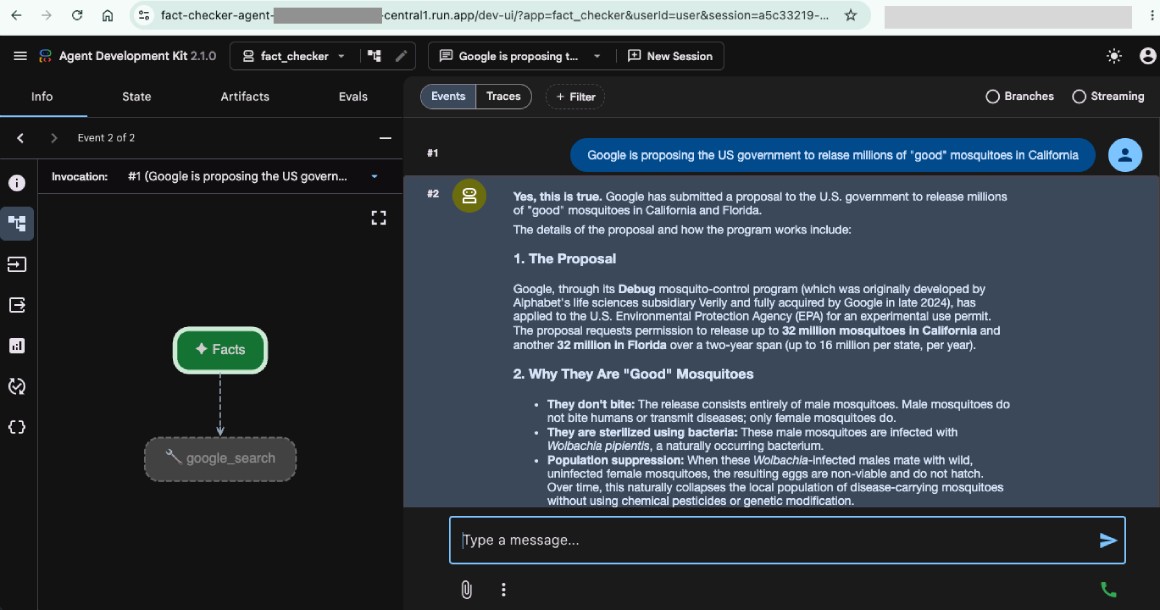
You have successfully deployed a simple but useful fact-checker agent to Google Cloud Run. With Cloud Run, you will only pay for the time your application is used, thanks to Serverless Containers.
Conclusion #
In this guide, you successfully walked through the entire deployment lifecycle of a Google ADK agent. You began by cloning the fact-checker repository, then set up a dedicated Google Cloud project and enabled the necessary Agent Platform APIs. After configuring the required environment variables, you used the ADK CLI to deploy the code directly from source to Google Cloud Run, ending in a successful browser-based test of the live agent. You can also try it with an API call.
Moving your agent from a local development environment to a scalable, serverless architecture on Google Cloud Run has never been more straightforward. With this foundation, you are now ready to deploy and scale your own (almost) production-grade AI agents with minimal infrastructure overhead. Keep learning!