




After writing a couple of prompts to get a feature done with an LLM or a coding Agent like Claude Code (or Cursor), have you felt like there should be a more declarative way of doing this than taking turns with prompts? Instead of throwing prompts at a coding Agent, herding it/them to do the right job, and getting frustrated, wouldn’t it be better to have a plan of tasks to follow? This is where Spec Driven development comes into the picture, and how AWS Kiro IDE can be used to add a new feature without prompting too many times, so the LLM doesn't stray from the main task. In this post, you will see a practical example of how to use Spec-driven development with AWS Kiro to add the last updated date to this Eleventy blog. Let’s get started!
Table of contents #
Prerequisites #
Before getting into the code, below are some of the things expected to already be in place:
- You have Git working locally and can clone repositories from GitHub
- AWS Kiro is installed on your machine and is working. You can download it and install it from their website
- You can run Node.js version 22 or later on your machine
- A basic understanding of how Eleventy blog works (else Kiro can explain that to you too)
Given that, let’s get started by first learning about spec-driven development, the AWS Kiro IDE, and how they are related in the next section.
Spec-driven development #
Spec-Driven Development (SDD) is a methodology that formalizes and brings rigorous discipline to the software engineering process. Instead of jumping straight into writing code or letting an AI jump straight into writing code, SDD requires you to define exactly what needs to be built and how it will be built before any implementation begins. With this context, a spec is an organized, behavior-focused document or a collection of connected documents composed in plain language that defines how software should operate and provides instructions for AI coding agents.
If you have worked in enterprise software development, backend engineering, or DevOps, you are likely already familiar with writing technical design documents, Request for Comments (RFCs), or Architectural Decision Records (ADRs).
Spec-driven development brings this disciplined, documentation-first approach directly into your daily coding workflow.
In a typical Spec-Driven Development workflow, the process is broken down into distinct, sequential phases:
Requirements Gathering: This phase involves defining the user stories, the business value, and the exact acceptance criteria. What exactly are you building, and why does it matter to the end-user or the business? This step ensures you are solving the right problem.
Technical Design: Once the requirements are locked in, you outline the technical architecture, data flow, edge cases, and interfaces. How will this new feature integrate with the existing codebase? What libraries will be used? What happens if a database connection fails or a file is missing?
Task Breakdown: This involves breaking the technical design down into small, sequential, and trackable implementation steps. This creates a clear roadmap for the actual coding phase.
Implementation: Finally, you write the actual code, guided strictly by the tasks and the technical design.
When using AI for coding, applying Spec-Driven Development gives a needed advantage. It stops the AI from hallucinating random architectures or using deprecated libraries. By forcing the AI to write the specifications first, you get a crucial opportunity to review, correct, and approve the AI's thought process. Once the specs are locked in, the AI generates code that perfectly aligns with your expectations, drastically reducing bugs and rework. There are other frameworks for spec-driven development, like Open Spec and Speckit by GitHub.
Since the spec is already provided, it is much easier to write tests, such as unit tests or even property-based tests.
In the next part, you will learn about Kiro (or AWS Kiro).
AWS Kiro IDE #
Kiro is an agentic development workspace designed to help engineers efficiently deliver high-quality work alongside AI assistants. It represents AWS’ vision of a development environment built from the ground up to maximize the potential of artificial intelligence. As per their official website:
Kiro helps you do your best work by bringing structure to AI coding with spec-driven development.
Unlike traditional cloud consoles or basic AI coding assistants that just sit in a sidebar, the AWS Kiro IDE acts as a mature engineering partner. It has deep context about your entire workspace, your file structures, and your dependencies. It is also cloud-agnostic, meaning you do not strictly need to deploy your applications to AWS to use it.
The primary philosophy behind AWS Kiro is to elevate the developer from a mere "code typist" to a "system architect." It achieves this ambitious goal by making Spec-Driven Development a first-class citizen within the IDE itself. You are no longer just chatting with an AI; you are collaborating with an AI agent that thinks like a system architect and also writes code as an experienced engineer.
There are other features of the Kiro IDE that might interest you, like the .kiro folder, powers, steering, and hooks. It also has the skills and MCP expected of any agentic, AI-focused IDE. The focus of this blog post is on adding a feature to an existing codebase using Spec-driven development with Kiro.
Adding updated at to an Eleventy blog #
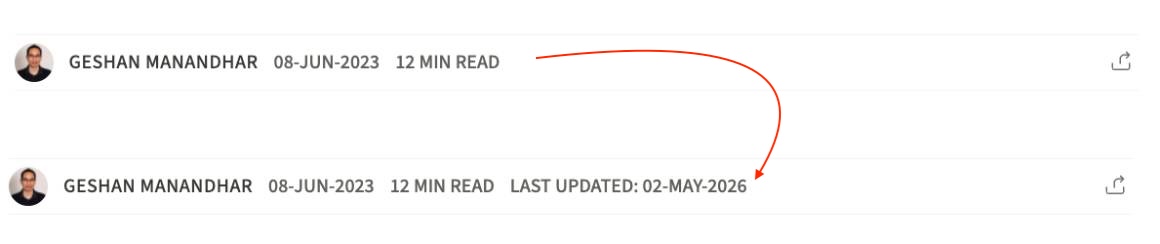
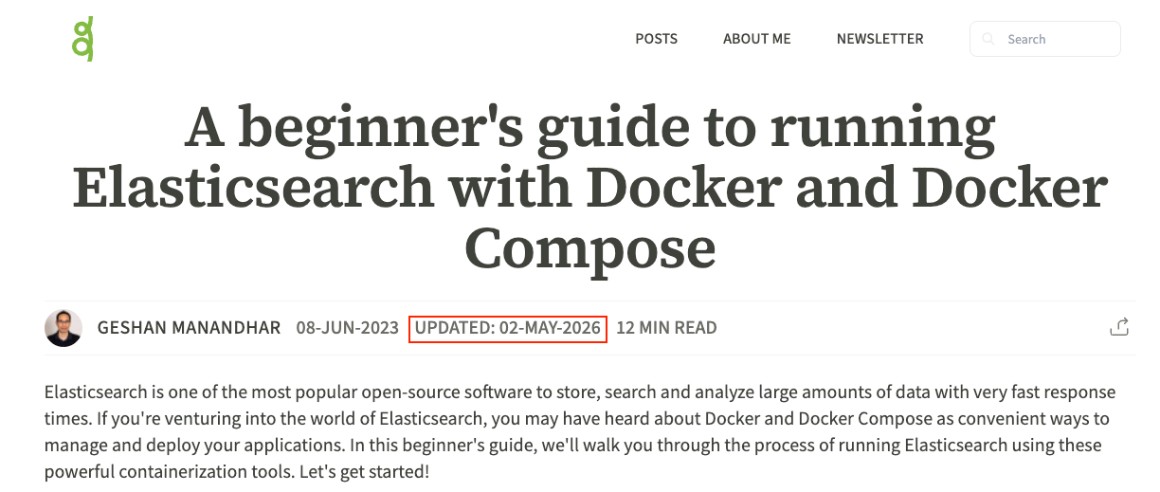
So the feature you want to build for this tutorial is to add updated at to an existing blog post because there have been some updates. For instance, a blog post was written some years ago when Node.js version 20 was the latest LTS, but Node.js 24 is now the latest LTS. So a blog post was created in mid-2023, and now it is updated in mid-2026, as seen below:
Open the blog in Kiro #
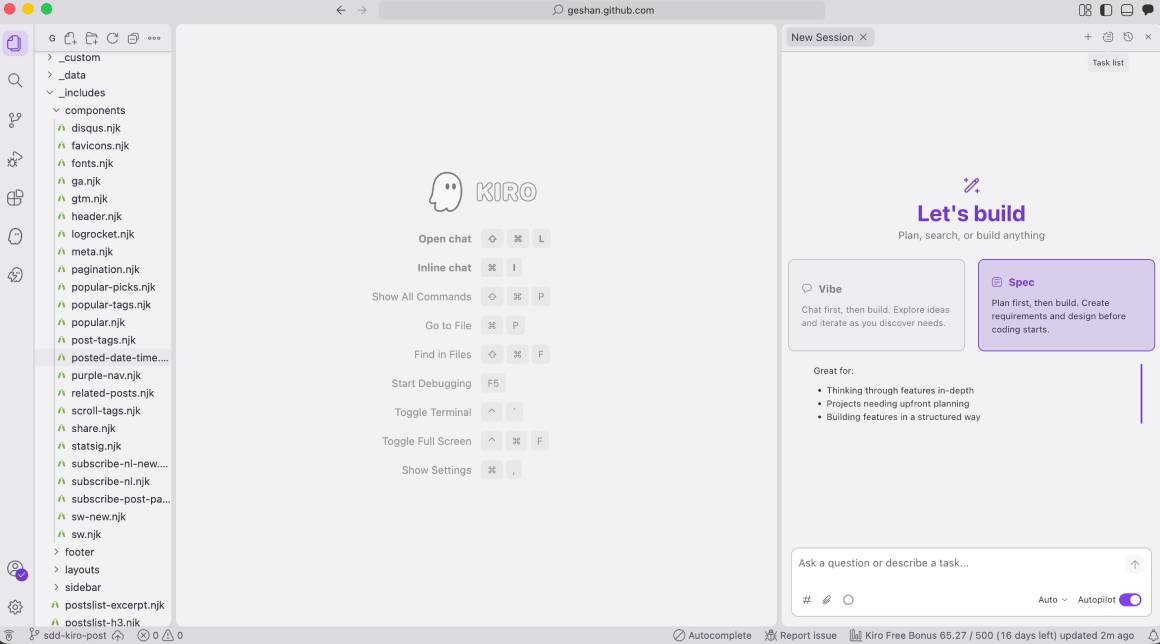
To build the feature, you can clone the blog (from GitHub - but please do not use it as a template) and open it in Kiro as follows (File -> Open Folder and select the cloned folder):
Prompt Kiro for the new feature #
Then add a prompt like the one below in the bottom right text box that says Ask a question or describe a task:
I want to add a last updated at to all the blog posts, it will be shown only if it is different

than the created at. Let's plan and write a spec for that.
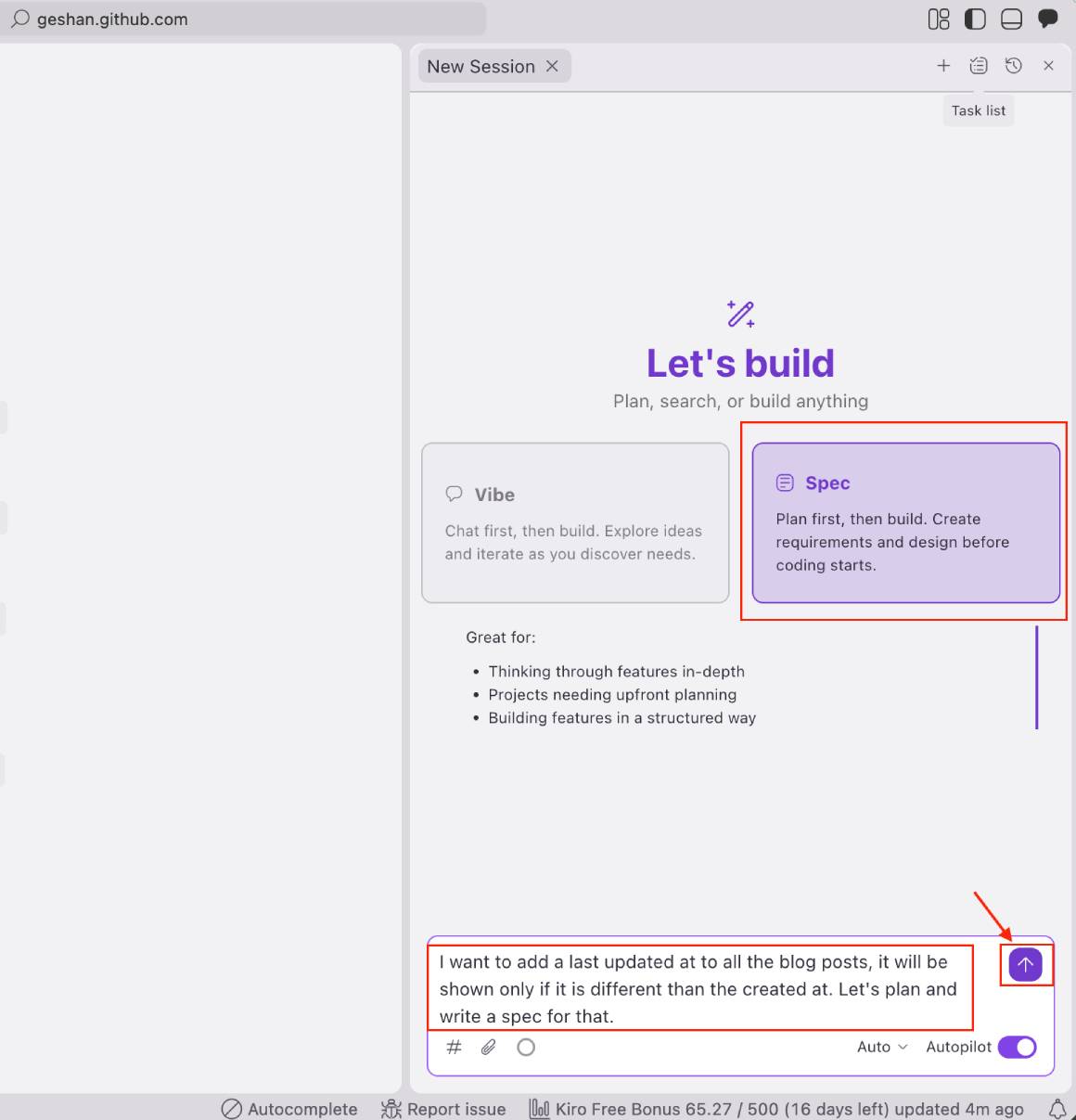
After that, push the up arrow purple button to get started. Make sure Spec is selected on the Agent session. After that, it will ask you if it is a feature or a bug.
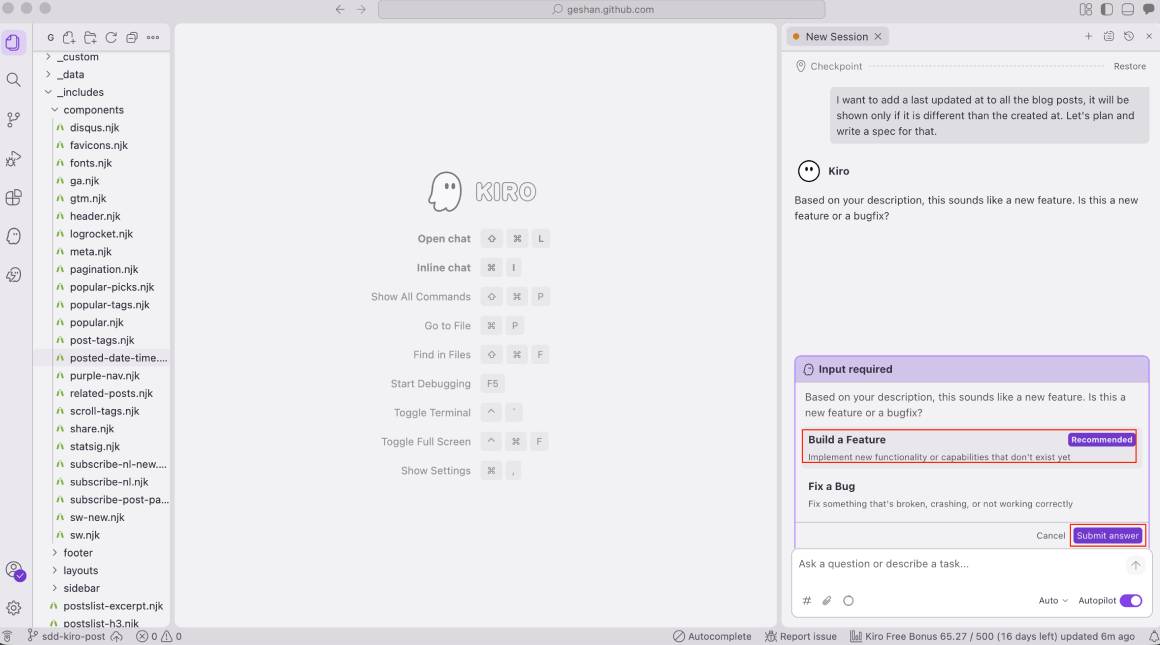
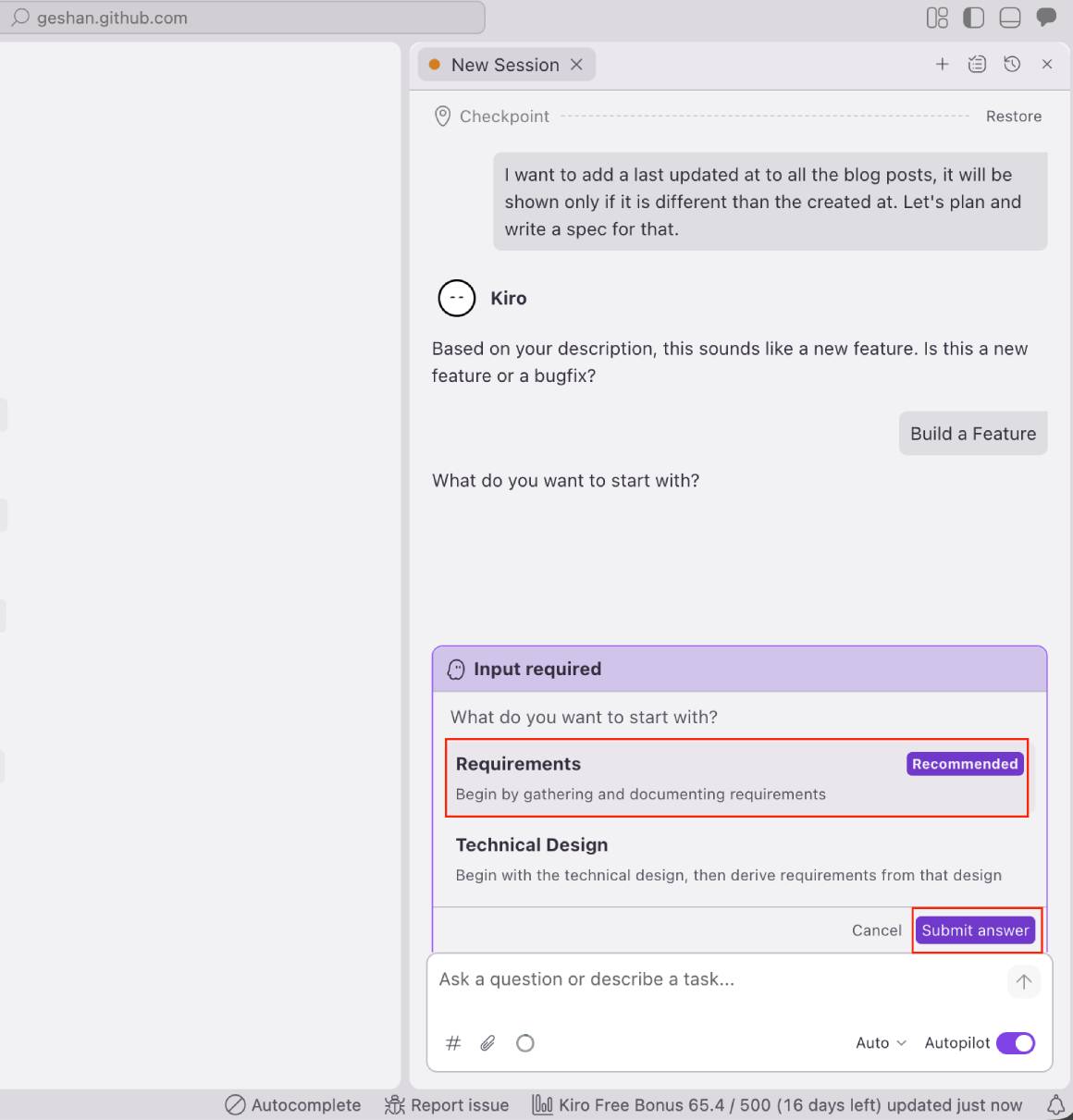
Select Build a feature and then click Submit Answer. Then select Requirements and again click `Submit Answer” as seen below:
Kiro creates the required docs and tasks #
After that, Kiro will search the workspace for more context and say so. Then it will create a .config.kiro file and write the requirements doc:
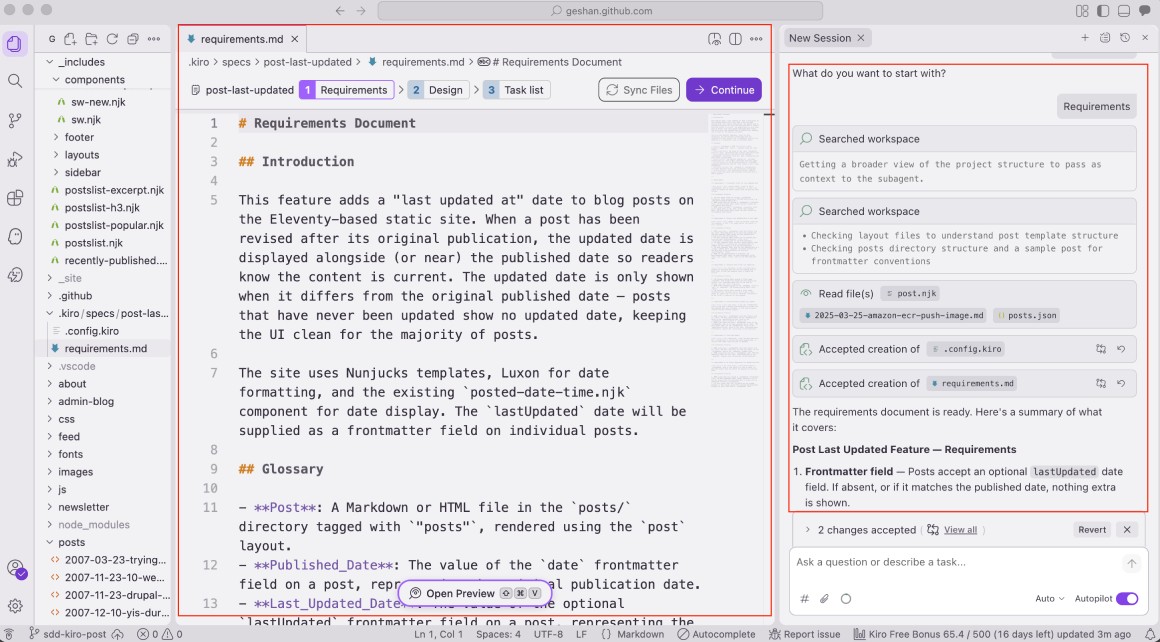
In my case, it was created in the .kiro/specs/post-last-updated folder. You can read the requirement doc and ask AWS Kiro to proceed to create the design doc as follows:
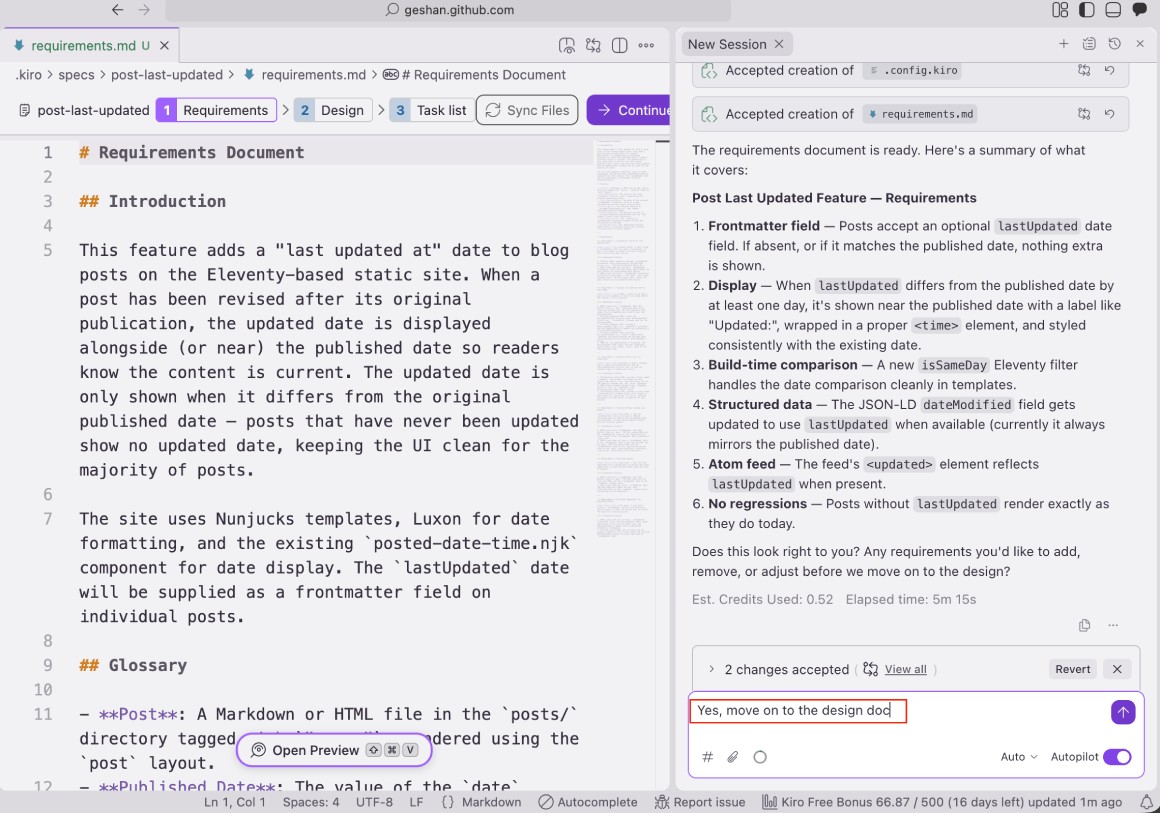
It will search the workspace again, write up the design doc (design.md), and show it. Read that one too and ask it to proceed to the task list:
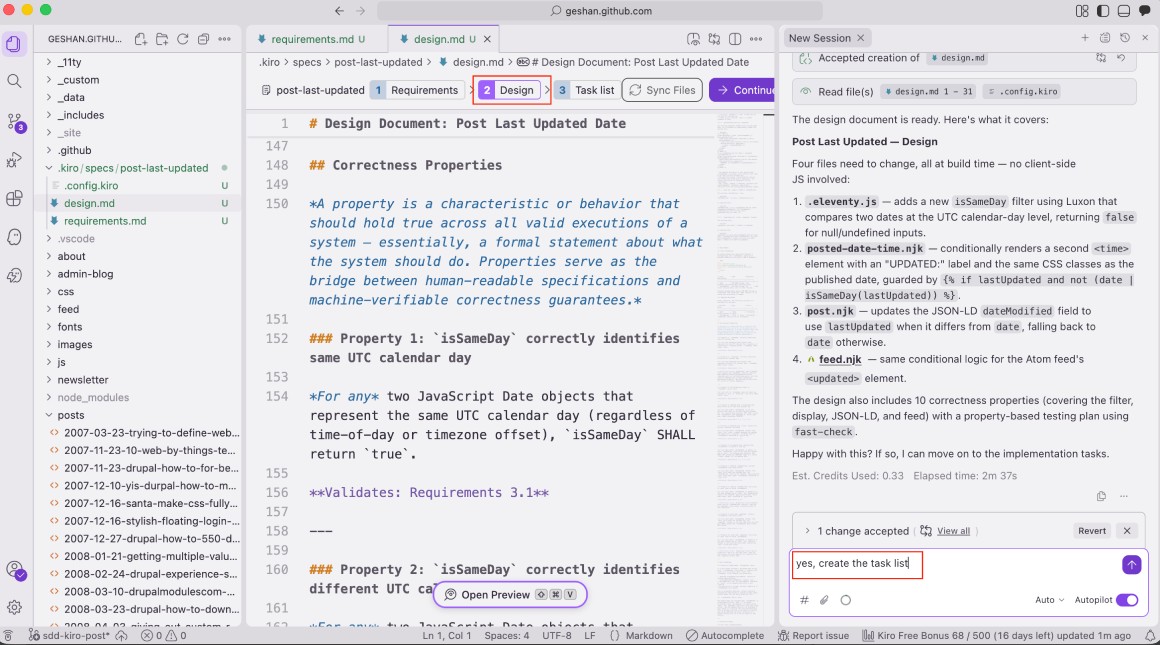
Then it will create a task list too. Notice that it will add optional tasks to write tests, too. You can ask it to implement task 1 as seen below:
Ask Kiro to implement tasks #
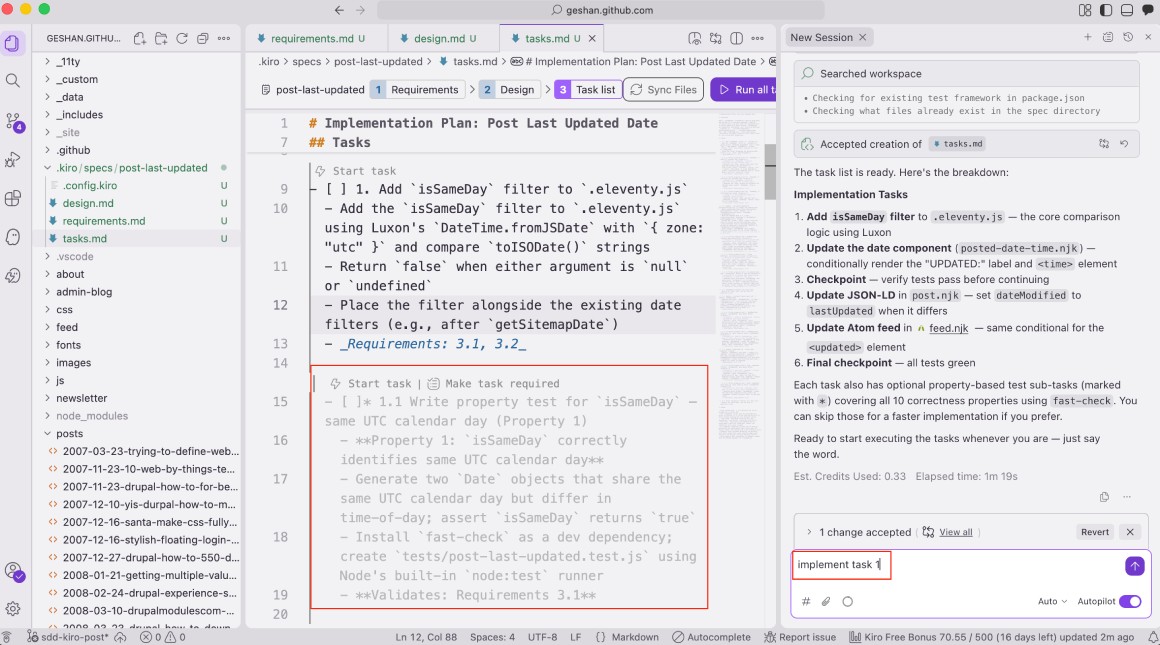
It will ask you to run a command at this point, so it is better to have a terminal window open (Terminal -> New Terminal). You can Run the command if you think it makes sense:
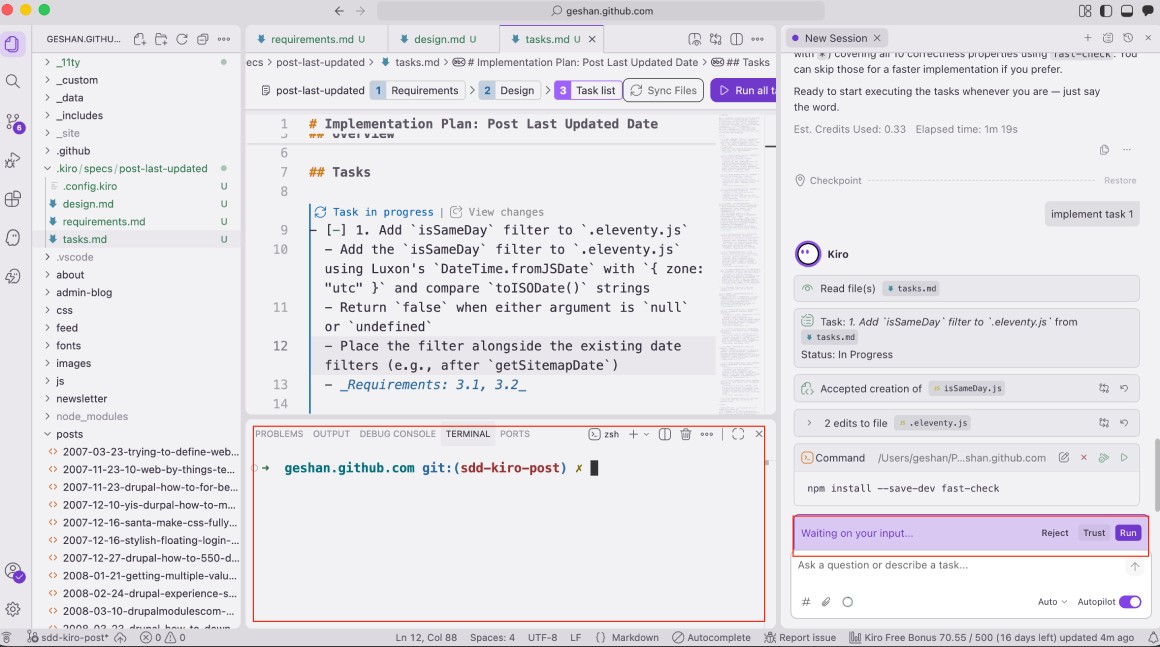
In my case, it was installing fast-check to run some tests. Then it will ask you to run more commands. Depending on the command, you can click Run to get the task done. You can also click Follow to see what is happening:
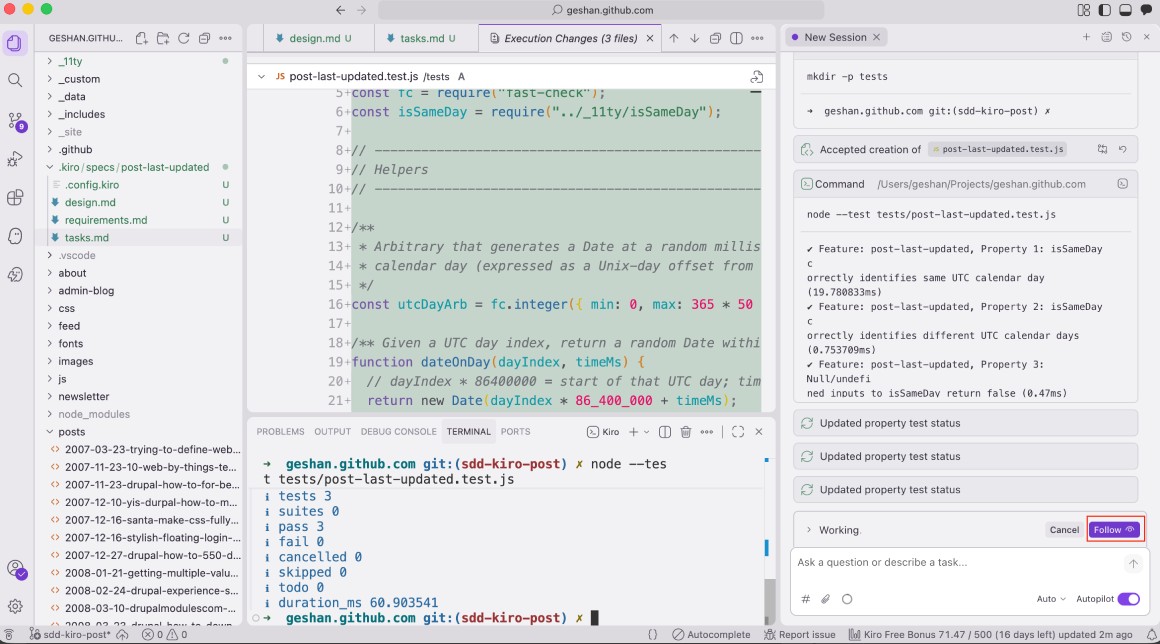
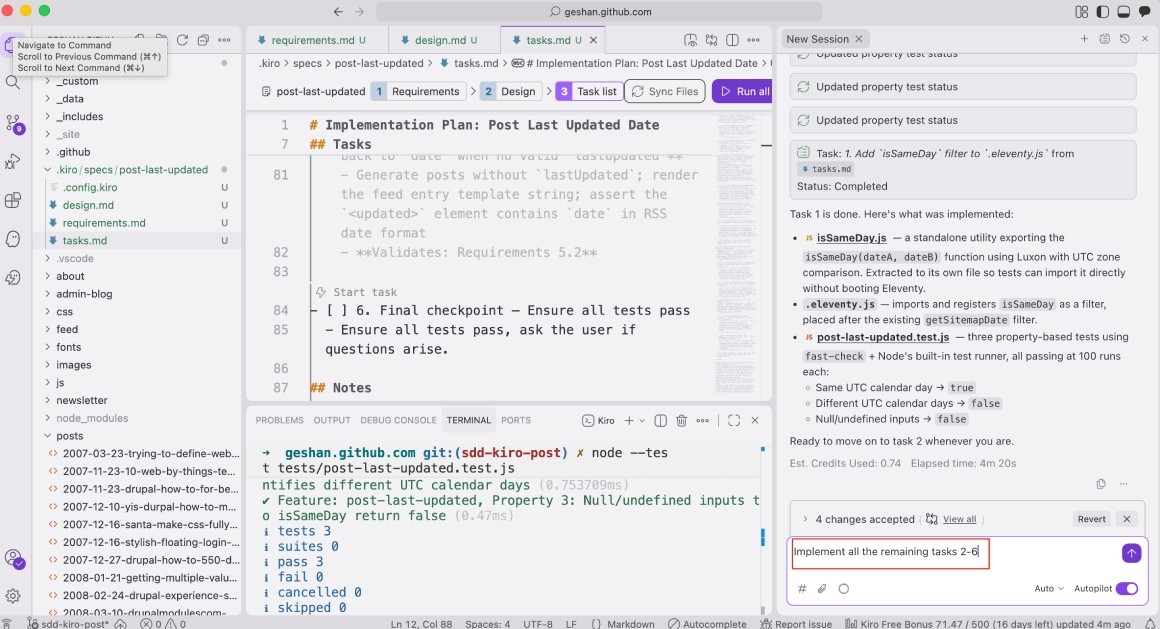
When the task is done, it will tell you. Then you can ask it to implement other task(s). I asked it to implement all the tasks in my list, which was up to 6:
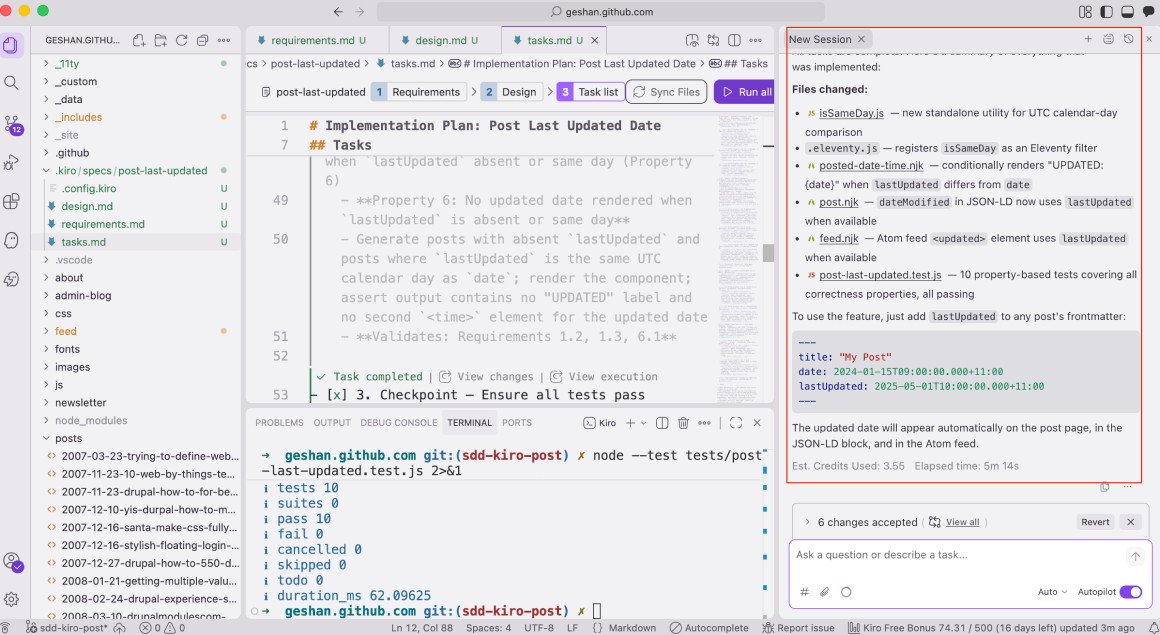
I had to click Run to see what it was doing, but after a few minutes it finished all the tasks. It added a test framework and ran tests to ensure the feature worked as intended. After doing task 6, it finished as follows:
Did the feature work after all these changes?
The feature worked #
I had to make a couple of minor changes, but the feature worked after that. Here is the post written in Jun 2023 with an updated date of May 2026:
If you want to have a look at the spec and all the code changes, it is in this commit.
It is a very good practice to define your requirements in a spec first. In case you have a clear spec, you will get better and more consistent results from any tool, especially AI-powered ones.
Conclusion #
In this useful guide, you explored how the AWS Kiro IDE enforces Spec-Driven Development, bringing rigorous engineering discipline back to AI-assisted coding. By defining clear requirements and technical designs up front, you eliminate AI hallucinations and ensure the generated code aligns perfectly with your business needs and architectural standards.
You also walked through a highly practical AWS Kiro tutorial, successfully implementing a "last updated" date for an existing Eleventy blog. Embrace structured AI development. Stop writing code first, and start writing specifications first. Your future self, your team members, and your production environment will thank you. The spec is also committed with the code, leaving a needed trail of why things were built. Happy coding!